Power Cookie (Medium)
- Challenge Link: https://play.picoctf.org/practice/challenge/69?category=1&difficulty=2&page=4
- Challenge Description: Can you break into this super secure portal?
- Hints:
- What is obfuscation?
Solution
Going off the hint, we need to know what obfuscation is. Obfuscation is a security measure developers in which consists of using random character strings as variable names, building unnecessary conditional blocks, adding useless parameters to functions, shuffling the contents to make the code difficult to understand.
When we load the website, we are presented with a simple login page asking for a password. Trying random inputs does not work, and inspecting the page visually does not immediately reveal the flag. Since this is a web exploitation challenge and the title mentions client-side, the first thing we should do is inspect the page source.
By right-clicking the page and selecting View Page Source, we find a large block of JavaScript embedded in the HTML. At first glance, the script is very difficult to read because it is obfuscated. It contains:
- Random-looking variable names
- A large array of strings
- Many nested if statements
- A strange function repeatedly called with hexadecimal values
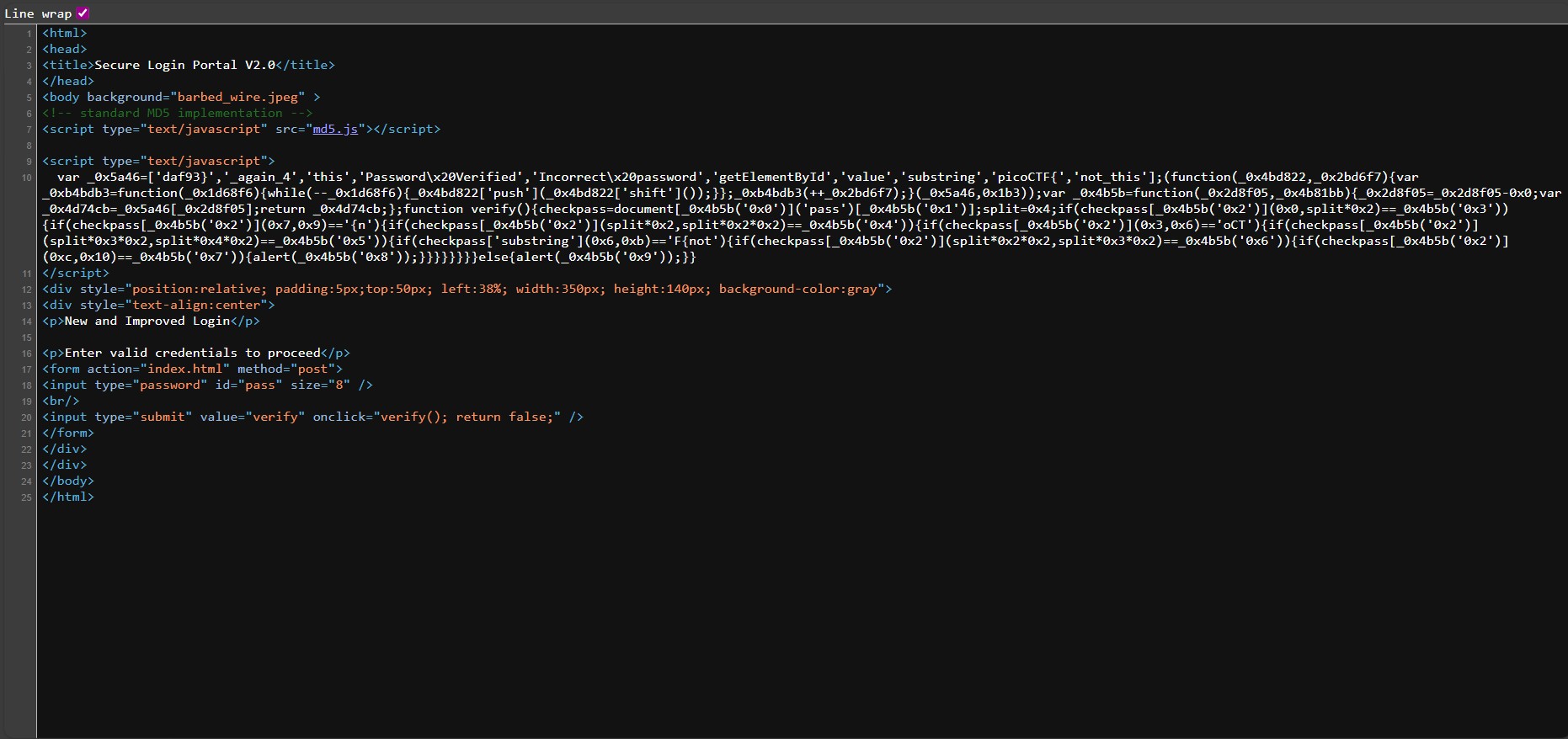
One of the first things we notice is the following array:
var _0x5a46 = [
  'daf93}',
  '_again_4',
  'this',
  'Password Verified',
  'Incorrect password',
  'getElementById',
  'value',
  'substring',
  'picoCTF{',
  'not_this'
];
There is also a function that looks like this:
var _0x4b5b = function(x) {
  return _0x5a46[x];
};
This function is used throughout the code to retrieve values from the array instead of writing strings directly. This makes the code harder to read but does not change how it works.
However, the array is shuffled at runtime using another function, which means we cannot simply replace the values statically. To understand what the code is actually doing, we need to observe it while it runs.
We open the browser’s Developer Tools and navigate to the Debugger tab. By setting a breakpoint inside the JavaScript and refreshing the page, we can inspect the values of the array after it has been shuffled. Once we do this, the code becomes much clearer. This line:
checkpass = document[_0x4b5b('0x0')]('pass')[_0x4b5b('0x1')];
Resolves to:
checkpass = document.getElementById('pass').value;
This tells us that checkpass simply stores whatever password the user enters.
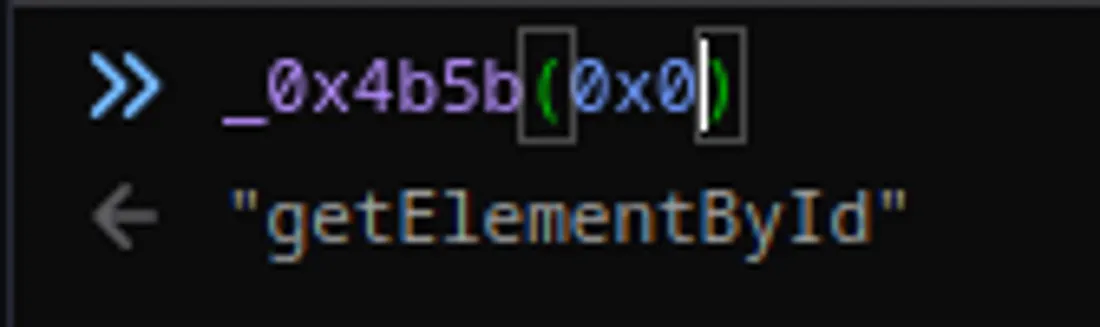
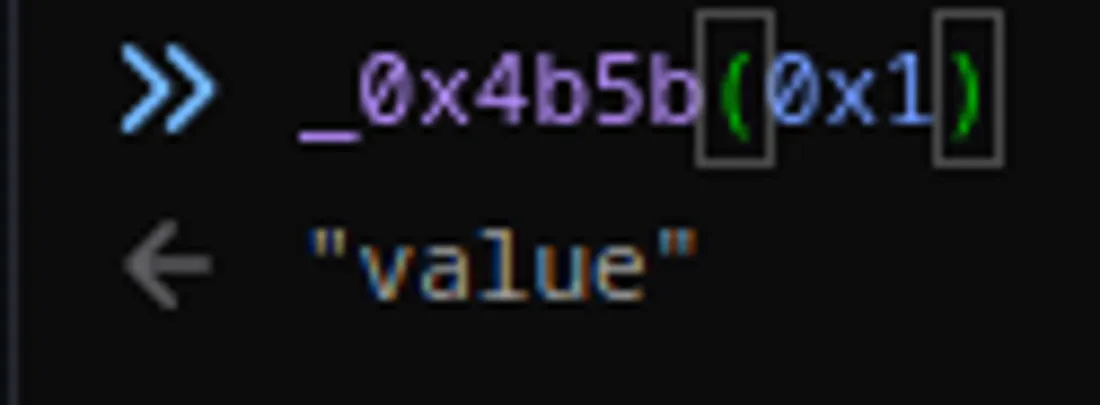
The verify() function then performs a series of checks using the substring() method. Each if statement checks a specific part of the password.
After resolving the obfuscated strings, the checks look like this:
checkpass.substring(0, 8)  == "picoCTF}"
checkpass.substring(7, 9)  == "{n"
checkpass.substring(8, 16) == "not_this"
checkpass.substring(12,16) == "this"
checkpass.substring(16,24) == "_again_4"
checkpass.substring(24,32) == "daf93}"
Putting all the pieces together, the correct password (and flag) is:
picoCTF{not_this_again_4daf93}
Interesting thing is that we did not need to all of this at all and we can just piece together the flag from the source code alone.