Crack the Gate 1 (Easy)
- Challenge Link: https://play.picoctf.org/practice/challenge/520?category=1&difficulty=1&page=1
- Challenge Description: We’re in the middle of an investigation. One of our persons of interest, ctf player, is believed to be hiding sensitive data inside a restricted web portal. We’ve uncovered the email address he uses to log in: ctf-player@picoctf.org. Unfortunately, we don’t know the password, and the usual guessing techniques haven’t worked. But something feels off... it’s almost like the developer left a secret way in. Can you figure it out?
- Hints:
- Developers sometimes leave notes in the code; but not always in plain text.
- A common trick is to rotate each letter by 13 positions in the alphabet → ROT13 Cipher
Solution
In most web browsers, you can right-click anywhere on the page and select “Inspect” (or press Ctrl+Shift+I). This opens the Developer Tools, a built-in feature that lets you look at the page’s HTML (structure), CSS (styling), and JavaScript (functionality). Developers often use it to debug web pages, but in CTFs, we use it to find hidden clues. We know that the ctf player is hiding sensitive data inside a restricted web portal, I used the inspect element and checked the console, debugger, and so on.
In the Elements tab, we can view the raw HTML. In this exact tab, we see a comment: The point of comments is for developers to leave messages or for debugging purposes. We can conclude that the comment is encrypted with ciphertext created from a ROT13 Cipher. And using a decoder we decrypted the message to get:
What are headers? When your browser communicates with a website, it sends HTTP requests to the server. Each request includes: URL: the address you’re visiting Data: like form inputs Headers: which are extra pieces of information Developers sometimes use custom headers for internal testing (which we will explain more later).
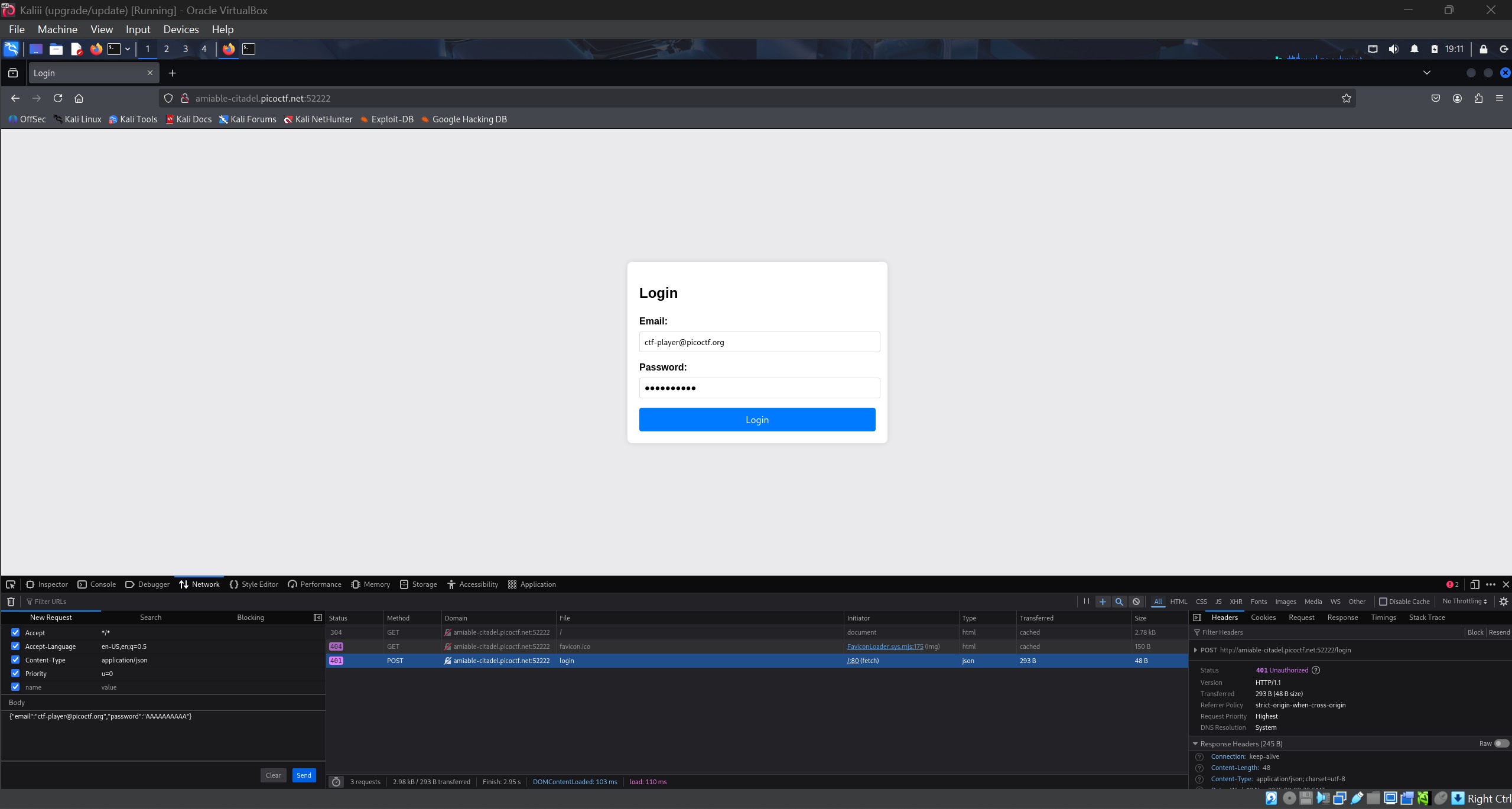
Breaking in: The decrypted message says we should use X-Dev-Access: yes as a temporary bypass.
- Open the Network tab in Developer Tools and try to log in (with any password).
- You’ll see the login request appear in the list.
- Right-click the request → “Edit and Resend” (or “Replay”) or you can click the resend button
- Add the custom header: X-Dev-Access: yes
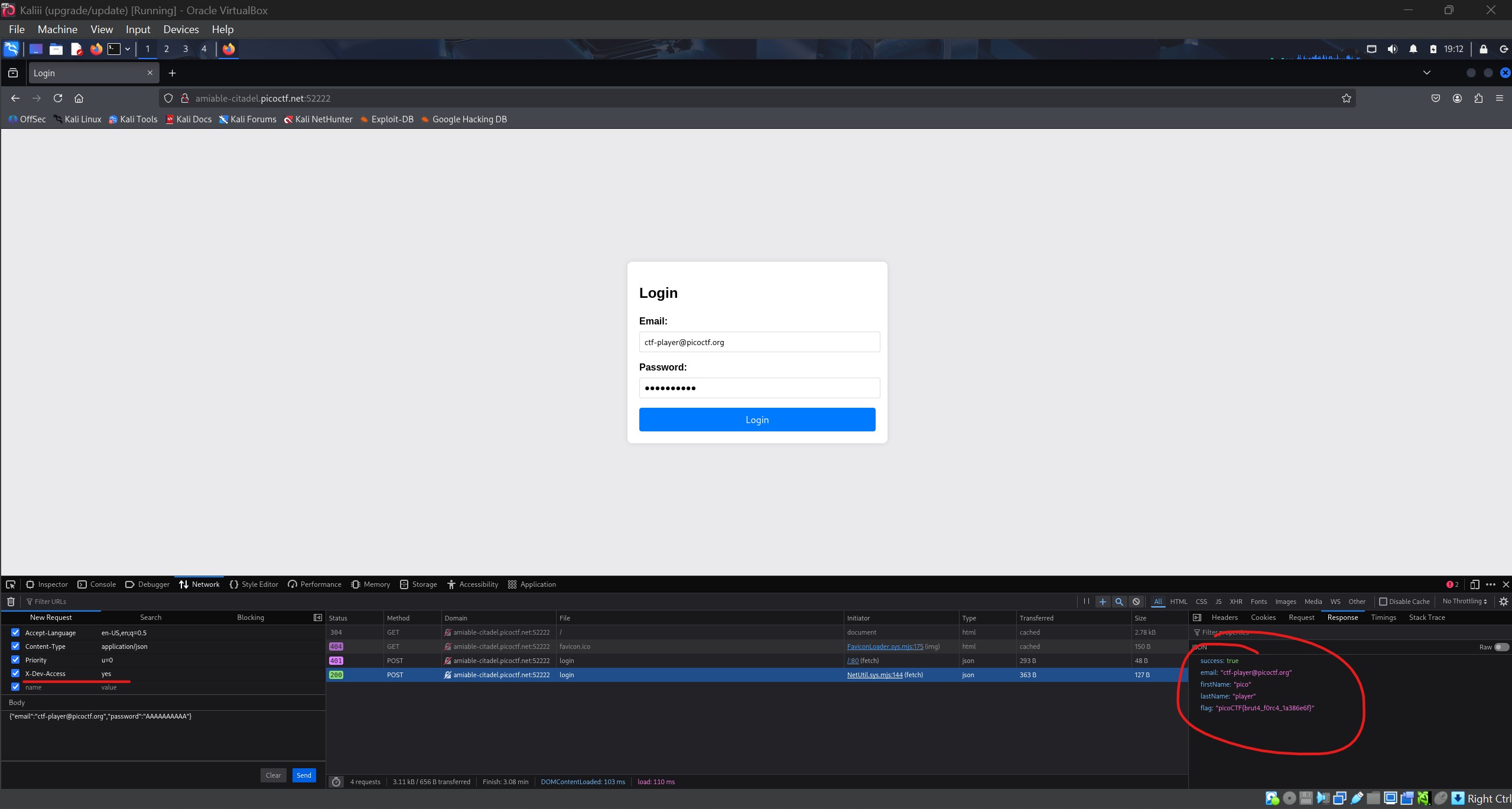
After adding the header, the server treats you like a “developer” and grants you access. The response now contains the flag.